Run your whole event on one platform
EventsLog is event management software for community, cultural, faith, and nonprofit organizations — publish your event page, take registrations, tickets, and donations, keep everyone informed, and check them in at the door. One day, several days, or several sessions: it's one account, from the first registration to the final report.
- Publish your event page
- Take registrations
- Check everyone in
Made for the events you run
From a one-time gathering to a yearly flagship — a single afternoon, a whole weekend, or a program with several sessions across the day — EventsLog runs the whole thing, whatever kind of event you put on.
- Festivals
- Fundraisers & galas
- Cultural programs
- Performances & concerts
- Tournaments
- Worship events
- Conferences & workshops
- Community gatherings
Runs every week?
Plenty of events don't happen once. A Saturday market, a monthly meetup, a league night — you set the pattern once and EventsLog puts every date on one published schedule, each date with its own page and its own registrations. Everything below works exactly the same way; you just don't build it again every week.
How running an event works on EventsLog
The whole event, start to finish — publish, open registration, keep everyone posted, check them in on the day, and see how it went. Here's each step.
-
Step 1 of 5
Publish your event page
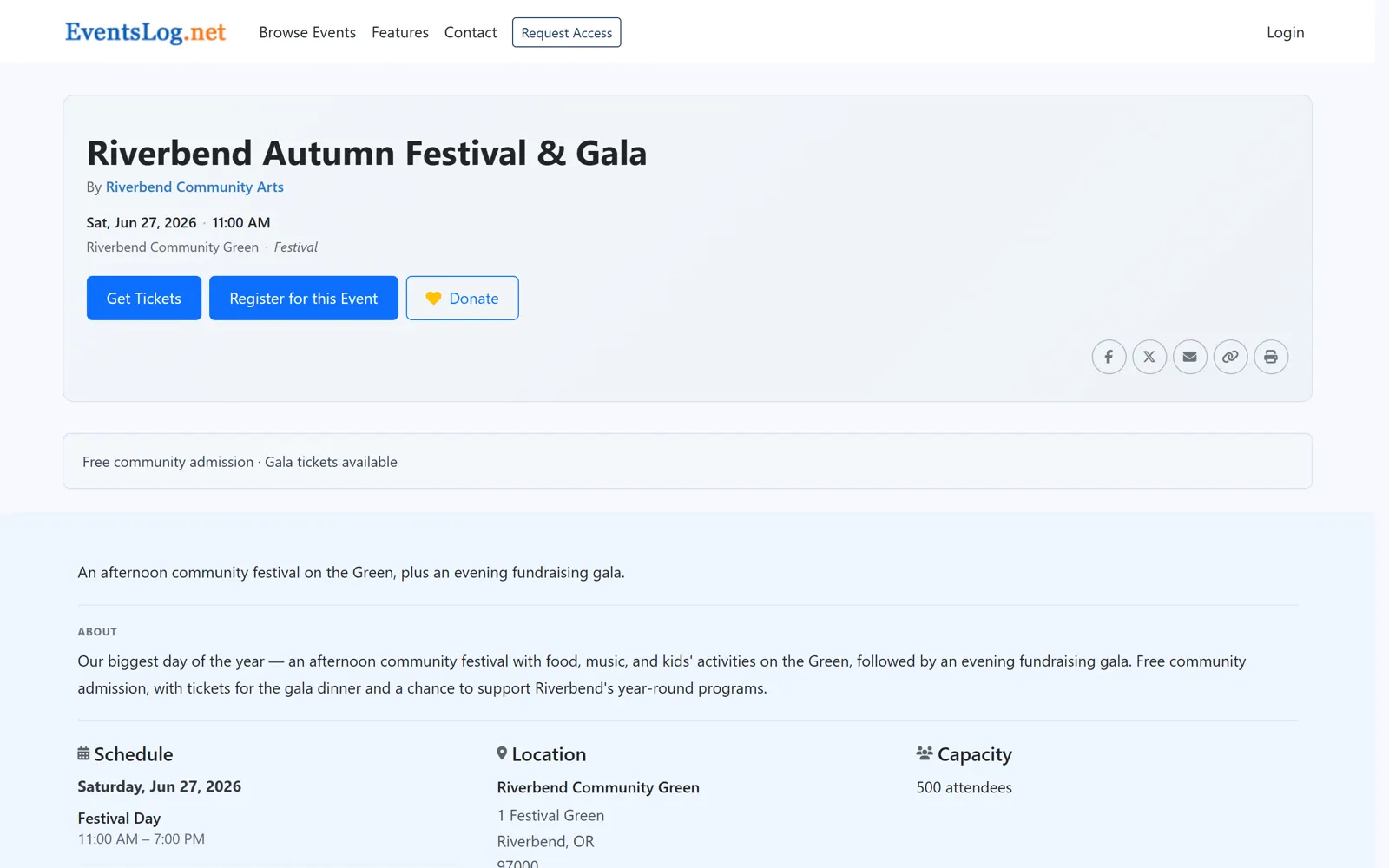
Getting your event online is the first step — and it should make your event look its best. Add your details once: what's happening, when, and where. EventsLog turns them into a clean, mobile-friendly page that's ready the moment you are.
From there you have one link to share everywhere — in an email, a group chat, a social post, or printed on a flyer. Wherever people come across it, they land on the same polished page, understand your event at a glance, and see exactly where to go next.
-
Step 2 of 5
Let people take part
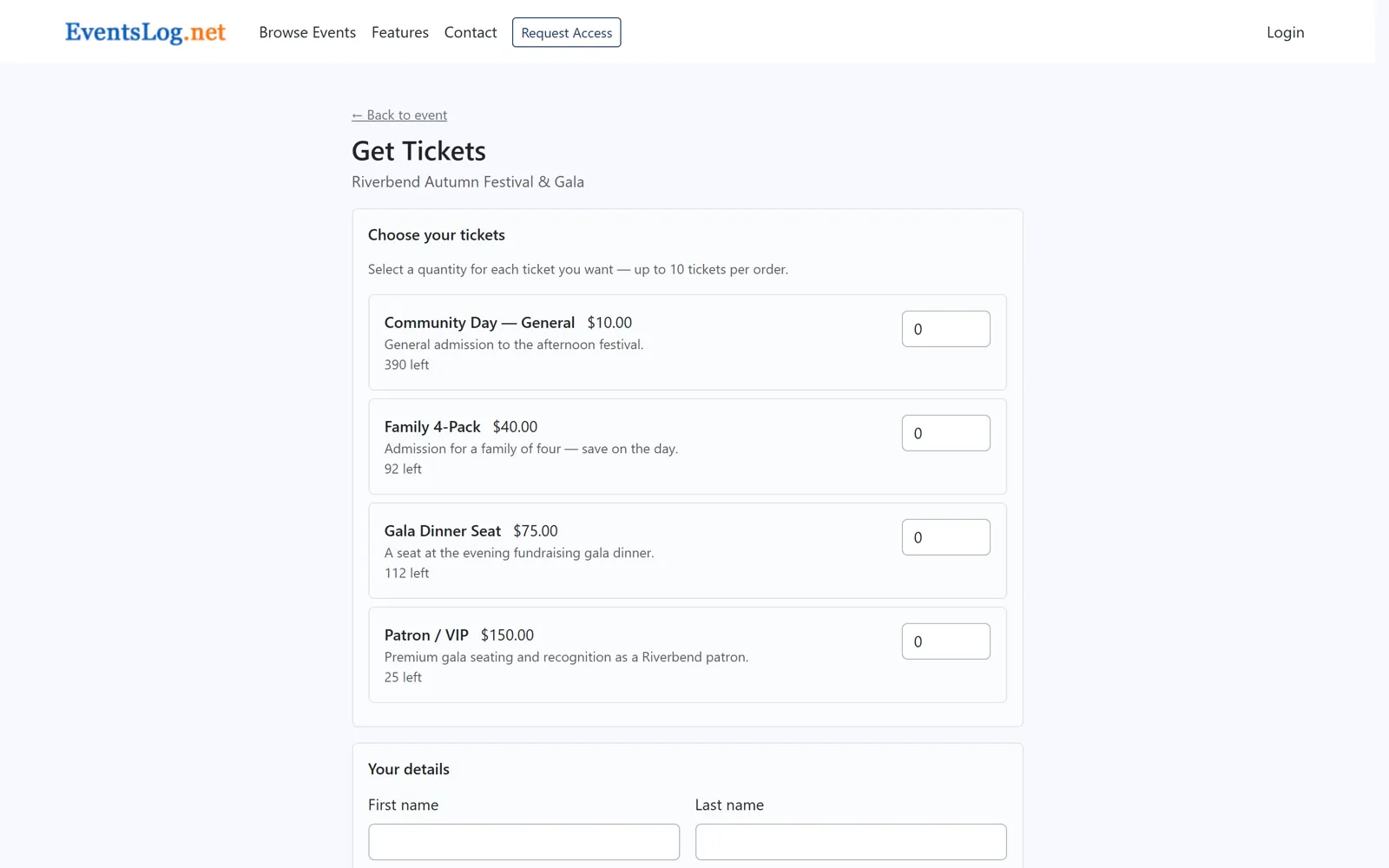
Every event invites people in a little differently. Some just need a quick registration. Others sell tickets, welcome a donation, or let people enroll in an ongoing program. You choose how people take part — free or paid — and it all happens right on your event page.
For the people joining, it's one simple flow whatever they're doing. For you, everyone who registers, buys a ticket, or donates shows up in a single clear list — so you always know who's taking part and how, and you're ready to keep them all in the loop.
-
Step 3 of 5
Keep everyone informed
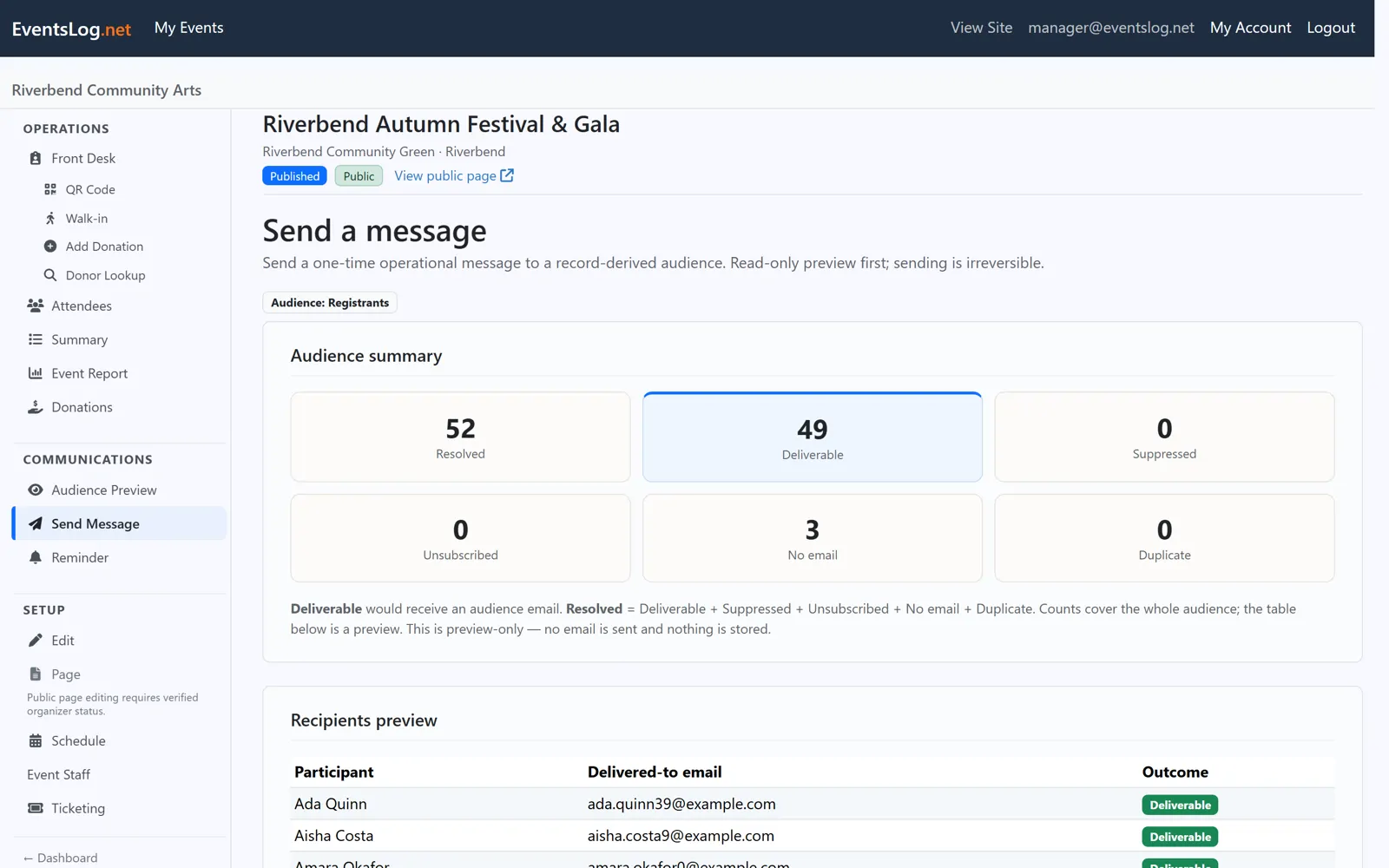
Plans shift and people have questions. EventsLog lets you reach everyone who's taking part with a clear update — a parking note before the day, a reminder the morning of, a thank-you and what's next once it's over.
You're always talking to the right people, because the list is already there — the same people who registered. No exports, no copying addresses, no wondering who you might have missed. Just a message that reaches everyone who's coming, right up to the moment they arrive.
-
Step 4 of 5
Welcome everyone on the day
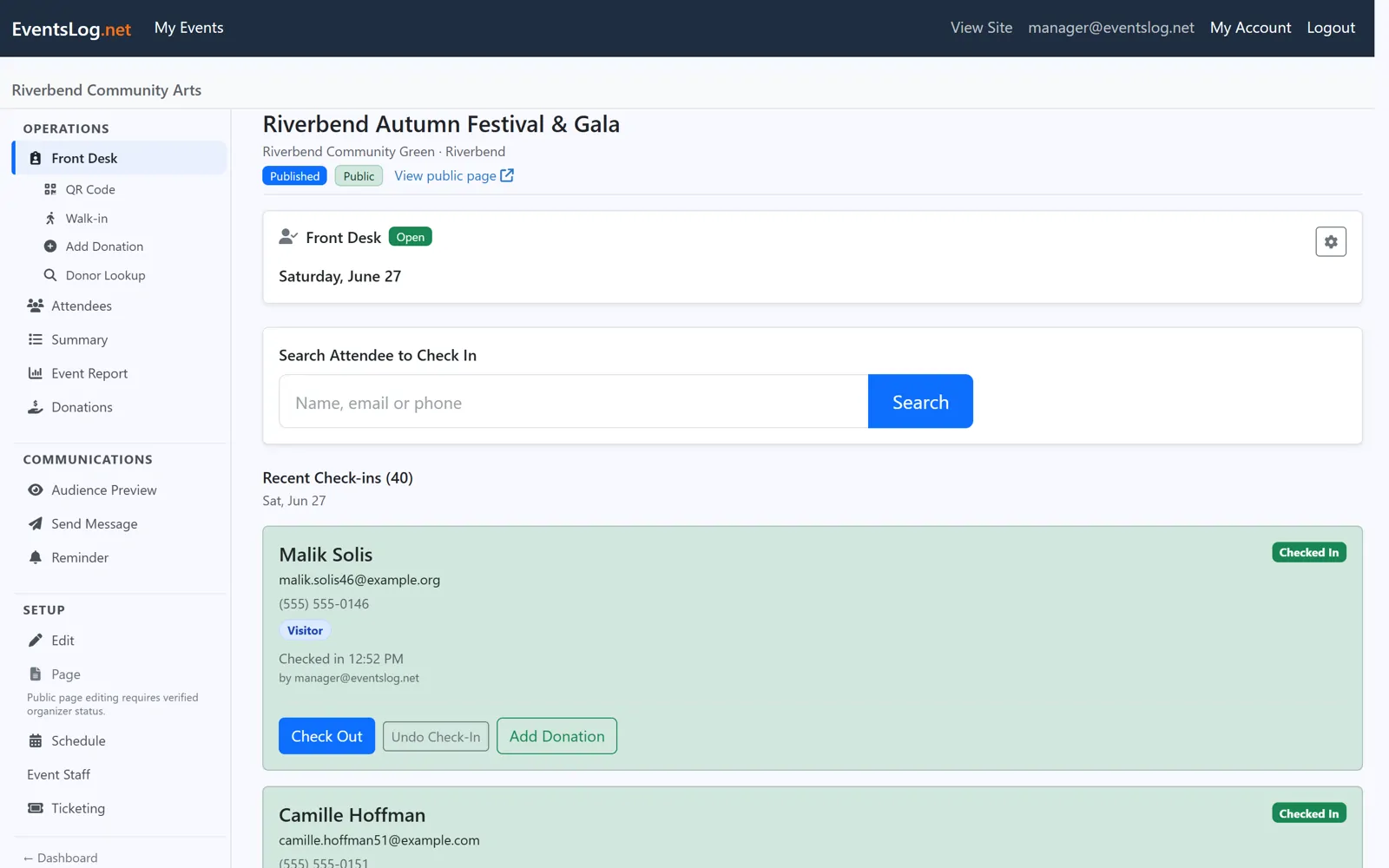
When the doors open, everything you set up comes together. Attendees arrive and check in with a quick QR scan, while your staff work from the Front Desk — EventsLog's purpose-built event-day screen — seeing who's here and who's still expected.
Someone didn't register? Add a walk-in in seconds and they're checked in like everyone else. The line keeps moving, your volunteers stay confident, and your headcount stays accurate — so event day feels calm instead of chaotic.
-
Step 5 of 5
See how it went
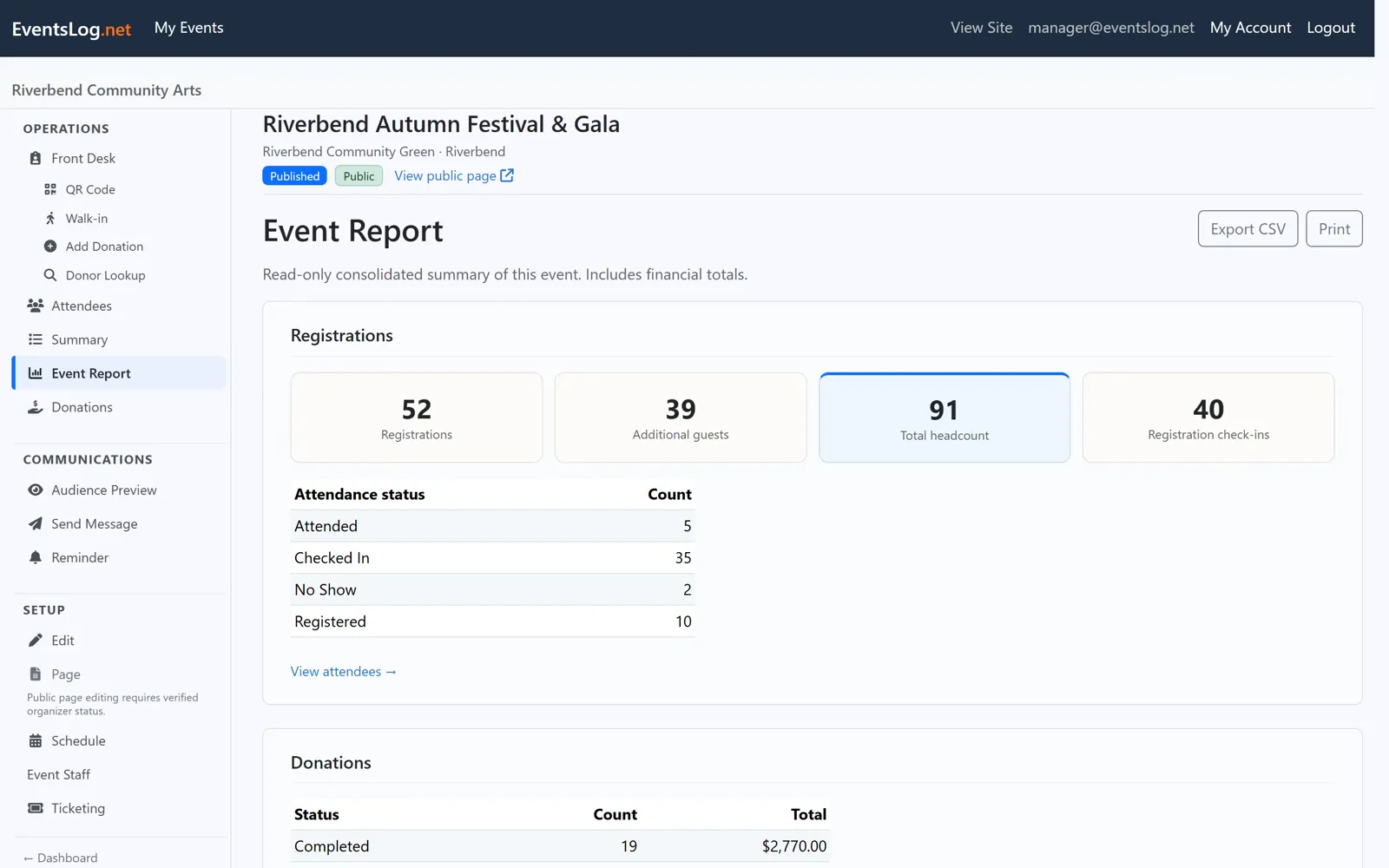
The event doesn't end when the last guest is checked in. EventsLog brings the whole picture together — who attended, how many registered, tickets sold, donations received, and what came in — so you can see how it really went in plain numbers, without piecing it together from notes and spreadsheets.
And because it's all in one place, this event quietly makes the next one easier. Who came, what worked, and who took part is right there to pick up from — so every event you run starts a step ahead of the last.
Everything stays connected
Here's why all of this feels easy: it's one platform, so your event never gets scattered. The people who register become the people you check in, the people you message, and the people in your final count — the same event, flowing through every step.
- One public page
- One list of people
- One message history
- One check-in list
- One set of results
No exports between tools, no spreadsheets to reconcile — just one place that stays in sync from the first registration to the final report.
Ready to run your next event on EventsLog?
We review requests and help your organization get set up. Free during early access.
EventsLog also runs your classes
Weekly classes, terms, and ongoing programs are set up in the same place, alongside the events you already run — a published schedule, enrollment, and attendance at every meeting.
Events and classes — it's one platform: same account, same people, same payments, whatever you run.