Fundraising built into your events
Giving belongs where people already are — on the event page they came to. Add a donate option, take donations online, record the ones handed to you on the day, and see them all in one list.
Donations are in early access — they are live and taking donations, and we roll them out with early organizations one at a time so we can help each one set up.
Made for the moments people give
These are the occasions where giving is part of the evening, not a separate ask — the reason the donate option sits on the same page people register on.
- A collection at a service
- A fundraising dinner
- A community appeal evening
- A memorial or tribute donation
- A festival with a donate table
- A giving night for a school program
How giving works on EventsLog
Everything below is part of an event you are already running here. There is no separate giving site to set up, and nothing to reconcile afterwards.
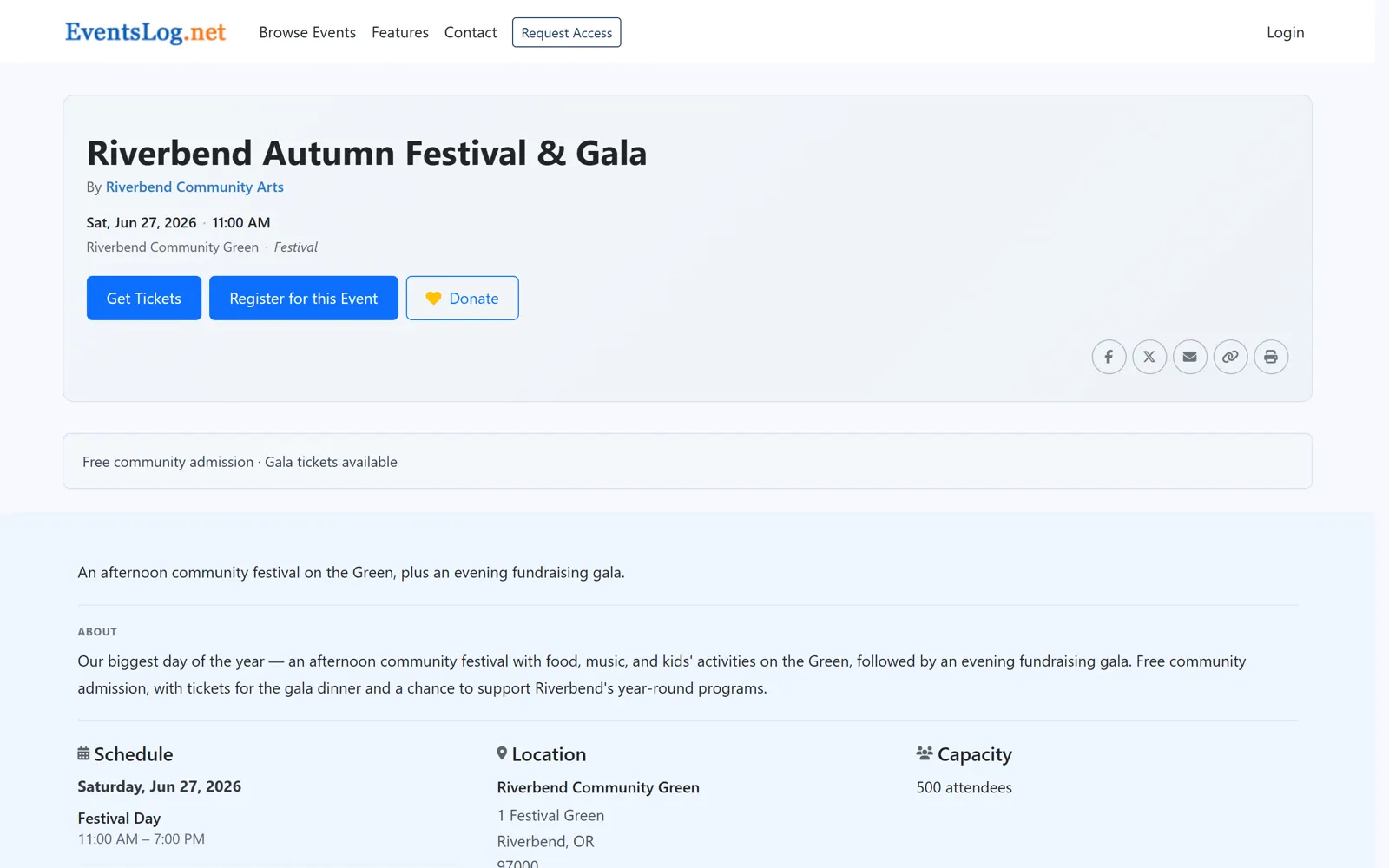
Giving sits on the event page you already have
Turn donations on for an event and a donate option appears on its public page, next to registering and buying a ticket. It is the same page, the same link you were already sharing — nobody has to be sent somewhere else to give.
You choose when giving opens and closes, or leave it open. A donation can be tied to the event it came in for, so you can see what a particular evening raised.
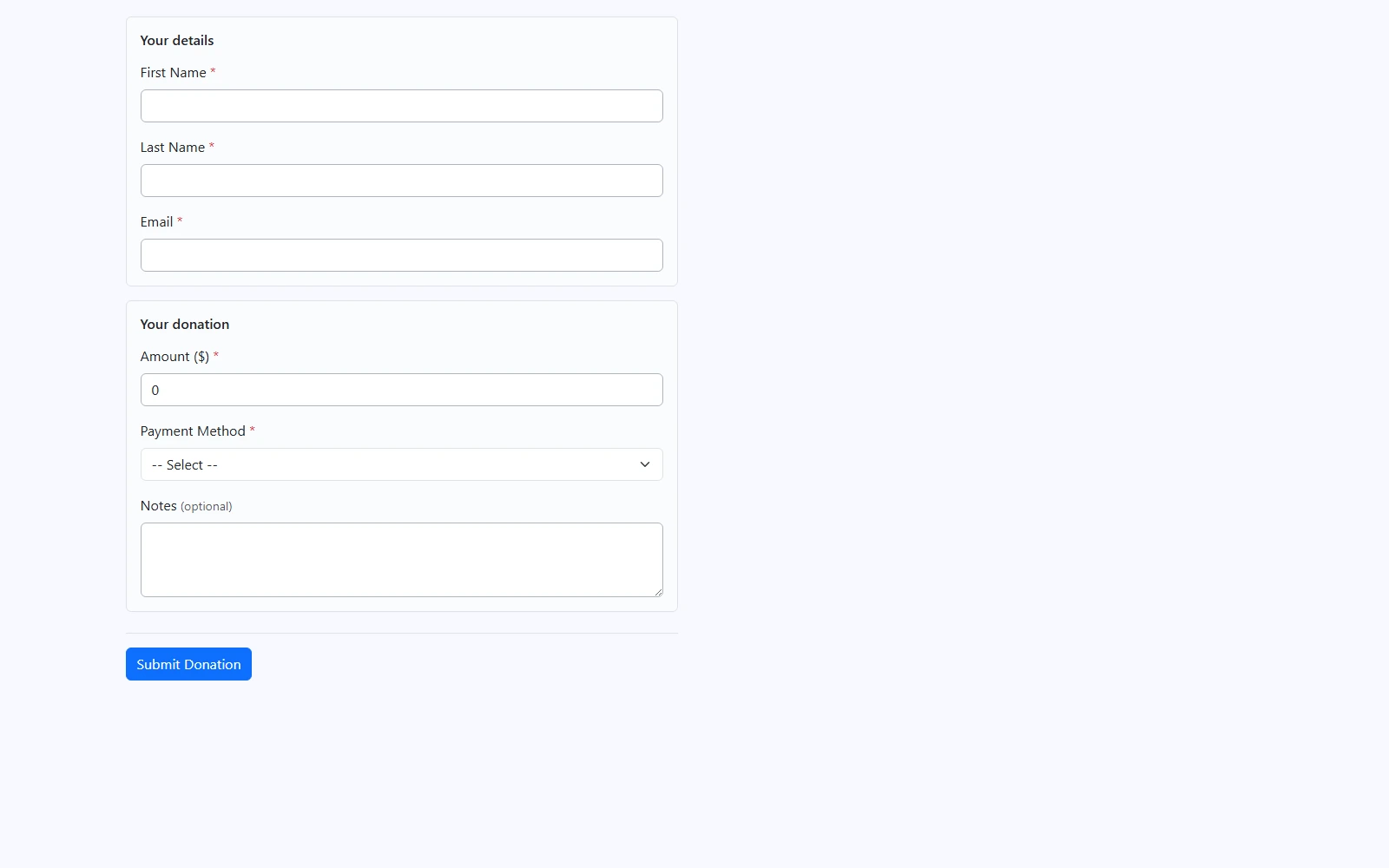
A donation takes a moment to make
The person giving enters their name and email, types the amount they want to give — no fixed tiers to pick from — and can leave a short note with it. That is the whole form.
When someone gives online, they get an email confirming the donation arrived. It is an acknowledgement, not a tax receipt: EventsLog makes no deductibility claim and holds none of the details that would go on one, so your year-end paperwork stays yours to issue.
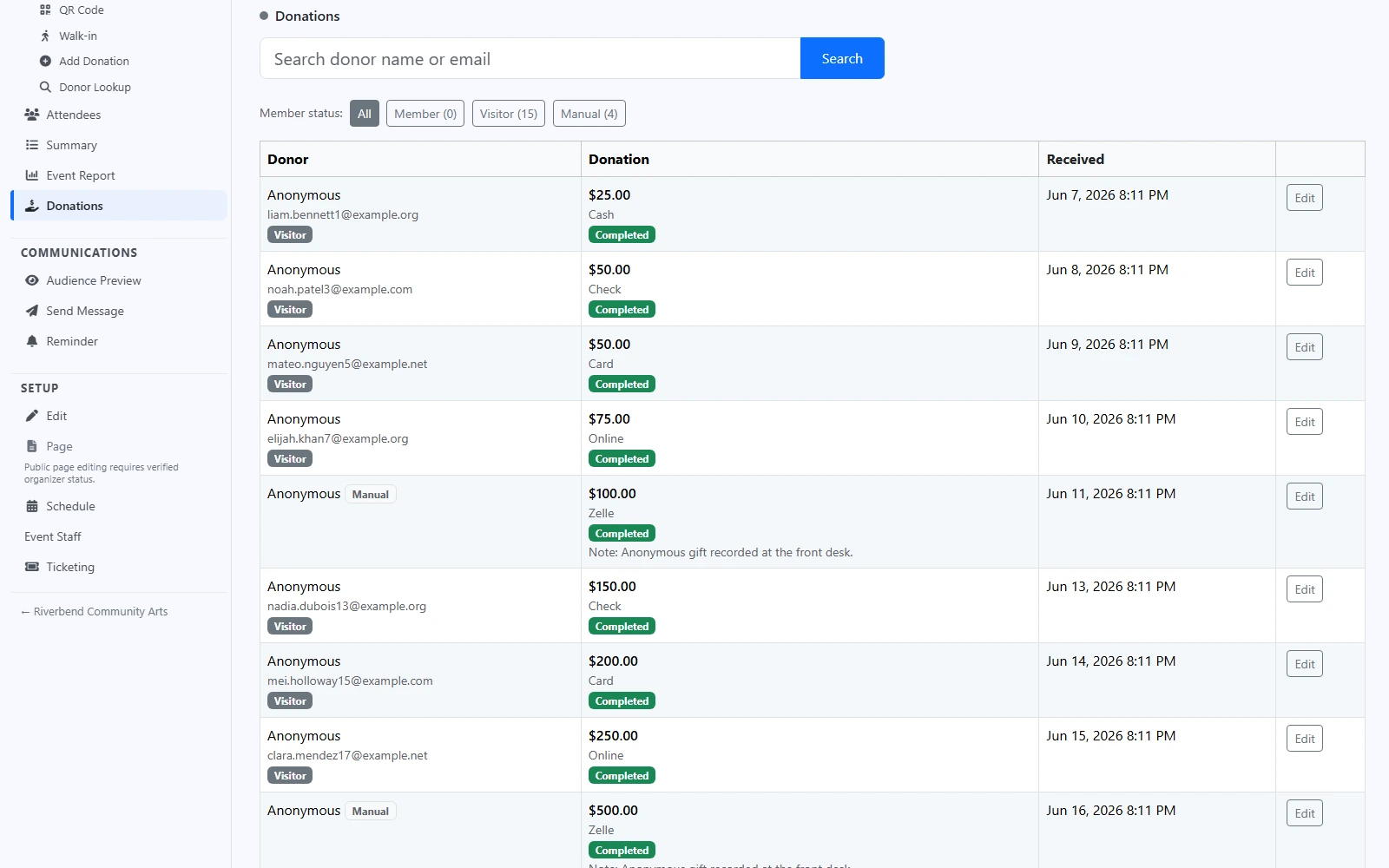
Every donation lands in the same list
A donation that arrived some other way — cash in an envelope, a check handed over after the meal, a transfer someone made directly — gets recorded at the front desk and joins the same list, marked so you can tell it was entered by hand.
Search the list by donor name or email, keep a donation anonymous when that is what was asked for, and add a note to any of them. What came in for the event rolls into that event's own numbers, alongside the registrations and tickets.
Donations go straight to you
Giving runs on your organization's own Stripe account, so what people donate lands with you — EventsLog never holds your money.
- Your own connected Stripe account
- Card details never touch EventsLog
- Refunds stay yours to make, in Stripe
If you refund a donation in Stripe, EventsLog notices and takes it back out of your totals — so what you report and what your account actually holds do not drift apart.
Fundraising is one part of the event
Giving is one of the ways people take part in an evening you are putting on. The public page, the registrations, the door, and the numbers afterwards are the rest of it.
Registrations, tickets, and donations — it's one platform: same account, same people, same payments, whatever you run.
Ready to add giving to your next event?
We review requests and help your organization get set up. Free during early access.