Run your classes and programs, all term long
EventsLog is class and program management software for studios, dojos, schools, and clubs — publish your class page and schedule, enroll your participants, take attendance every meeting, and keep everyone in the loop. One account, term after term.
- Publish your class & schedule
- Participants enroll
- Take attendance each meeting
Made for the classes you teach
From a weekly club to a full term of lessons, EventsLog runs your ongoing classes and programs — whatever you teach, week after week.
- Music lessons
- Dance & performing arts
- Yoga & fitness
- Martial arts & dojos
- Tutoring & academics
- Language schools
- Sports & recreation
- After-school programs
How running a class works on EventsLog
A class isn't a one-time event — it keeps going. You set it up once, then it runs meeting after meeting, all term long. Here's each step.
-
Step 1 of 5
Publish your class page
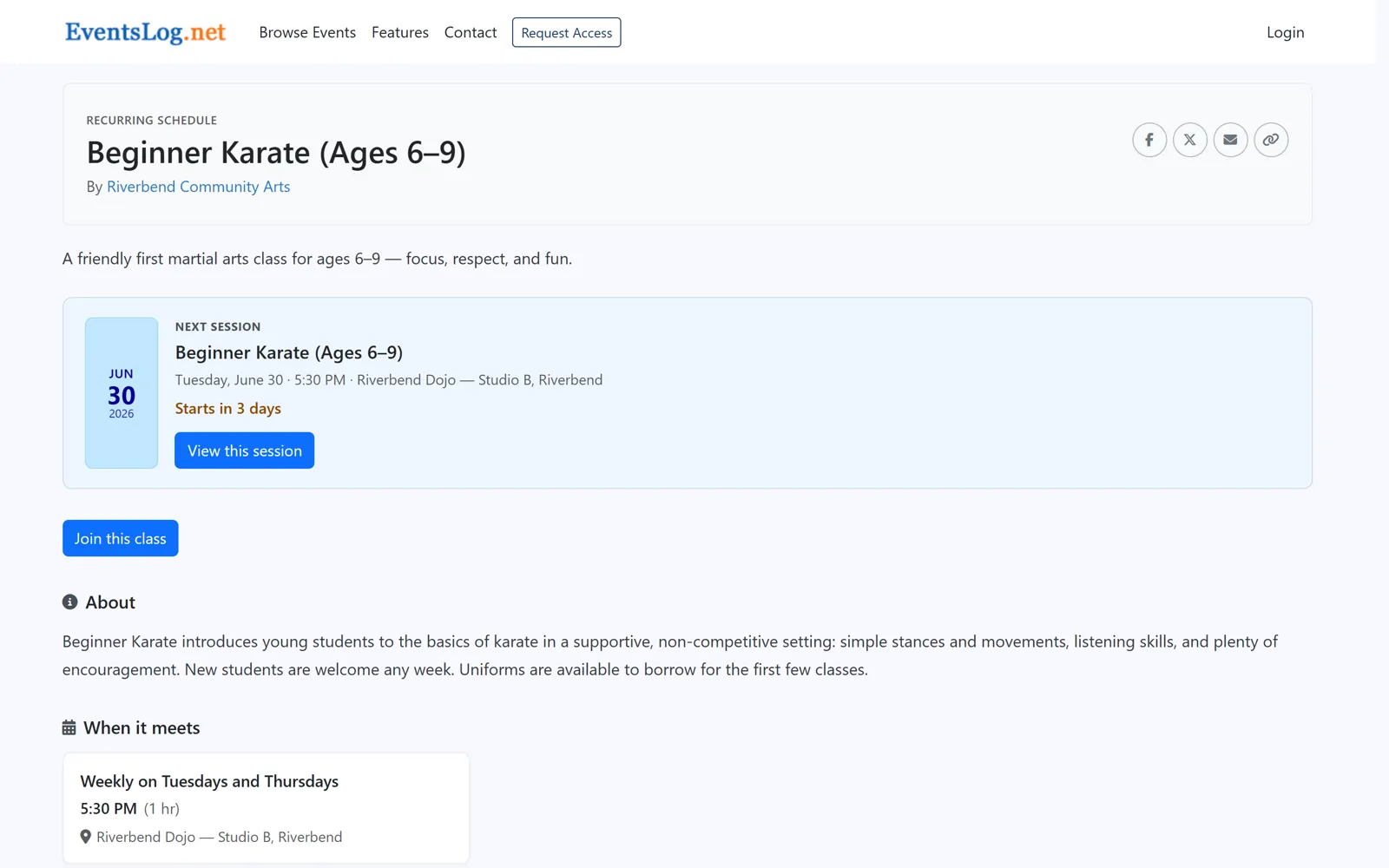
In EventsLog, a class is a repeating schedule — set it once, and every meeting is ready.
Start with a class page that looks the part. Add your details once — what you teach, where it meets, and when — and EventsLog turns them into a clean, mobile-friendly page with your schedule laid out: the days you meet, the upcoming dates, and any breaks. A prospective participant can see exactly when they'd come, at a glance.
It's also where your instructors come to life. Add a profile for whoever leads the class — a name, a photo, and a short bio — so people know who they'll be learning from before they ever walk in. Then you have one link to share everywhere: on social media, on a flyer, or with the parent who just asked about lessons. Everyone lands on the same polished page — your schedule, your instructors, all in one place — and is ready to join.
-
Step 2 of 5
Let people join
When someone's ready, joining is simple. From your class page they join right where they saw the schedule — so they know exactly what they're joining: which class, on which days, with which instructor. No back-and-forth, no paper sign-up sheet at the door.
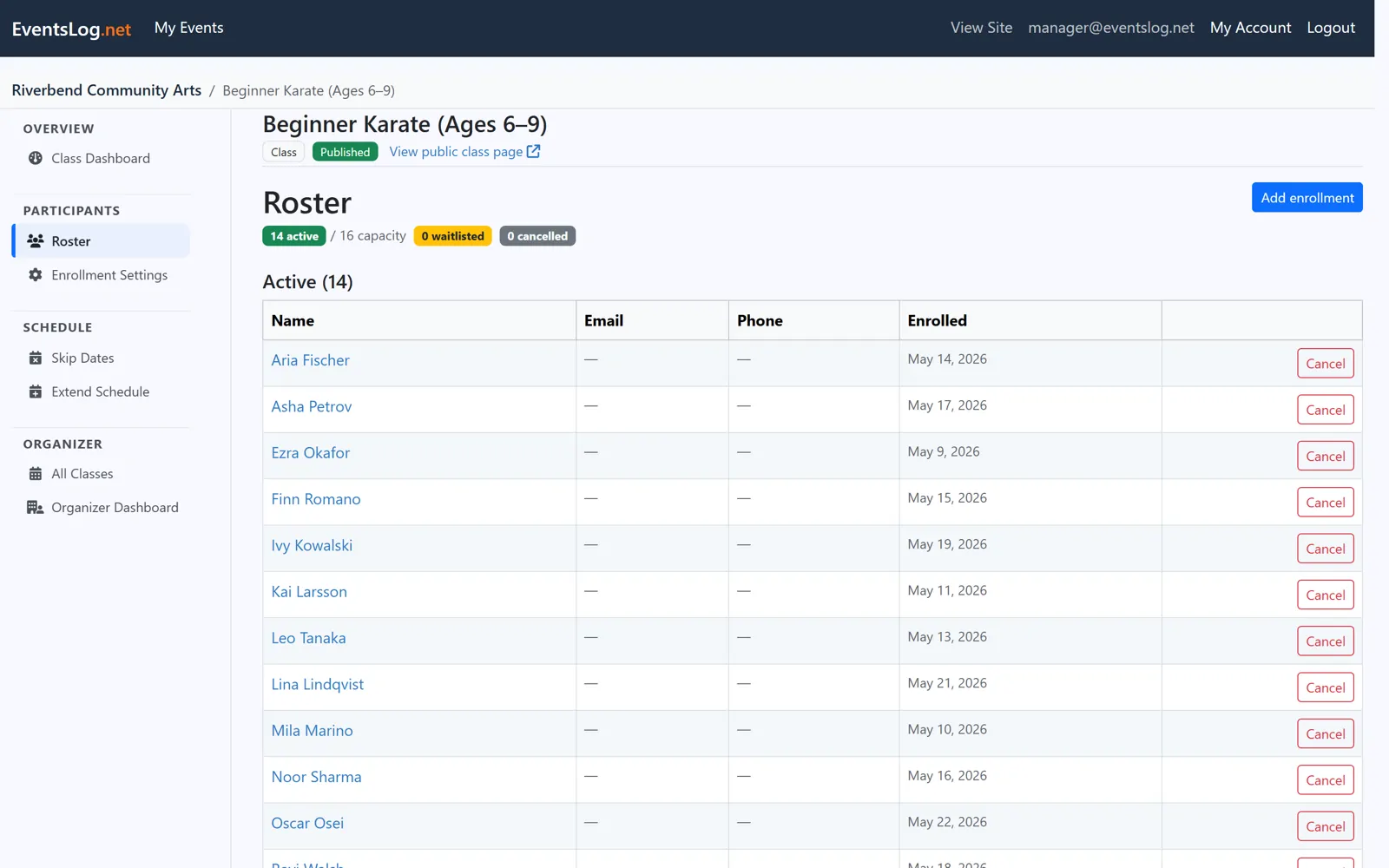
Each person who joins lands on your class roster — your working list of who's in the class. It's there from the first enrollment and it stays with the class, so as new participants join through the term, your roster simply keeps up. One clear list of everyone taking part, ready for the first meeting.
When the class is full, people don't hit a dead end — they can ask to go on the waitlist instead, and they land on your roster as waiting rather than enrolled. When a place opens up you decide who takes it: promote someone from the waitlist and they move straight into the class. It stays your call, not an automatic queue.
And when someone needs to step away for a while — an injury, a term abroad, a stretch of travel — you can put their enrollment on hold rather than remove them. Their place is kept for them, so nobody takes it while they're out; they simply stop appearing when you take attendance, and the meetings they already attended stay on their record. Bring them back whenever they're ready and they pick up where they left off.
If you teach children, or anyone else who does not enroll for themselves, you can allow that on a class. The adult enrolling them then says so as they join, and the enrollment records the participant alongside their responsible adult — that adult's own name and contact details — so you know who is in the room and who to reach about them. An emergency contact can be added too, and it is optional: just a name and a phone number, never health or medical details.
-
Step 3 of 5
Take attendance, every meeting
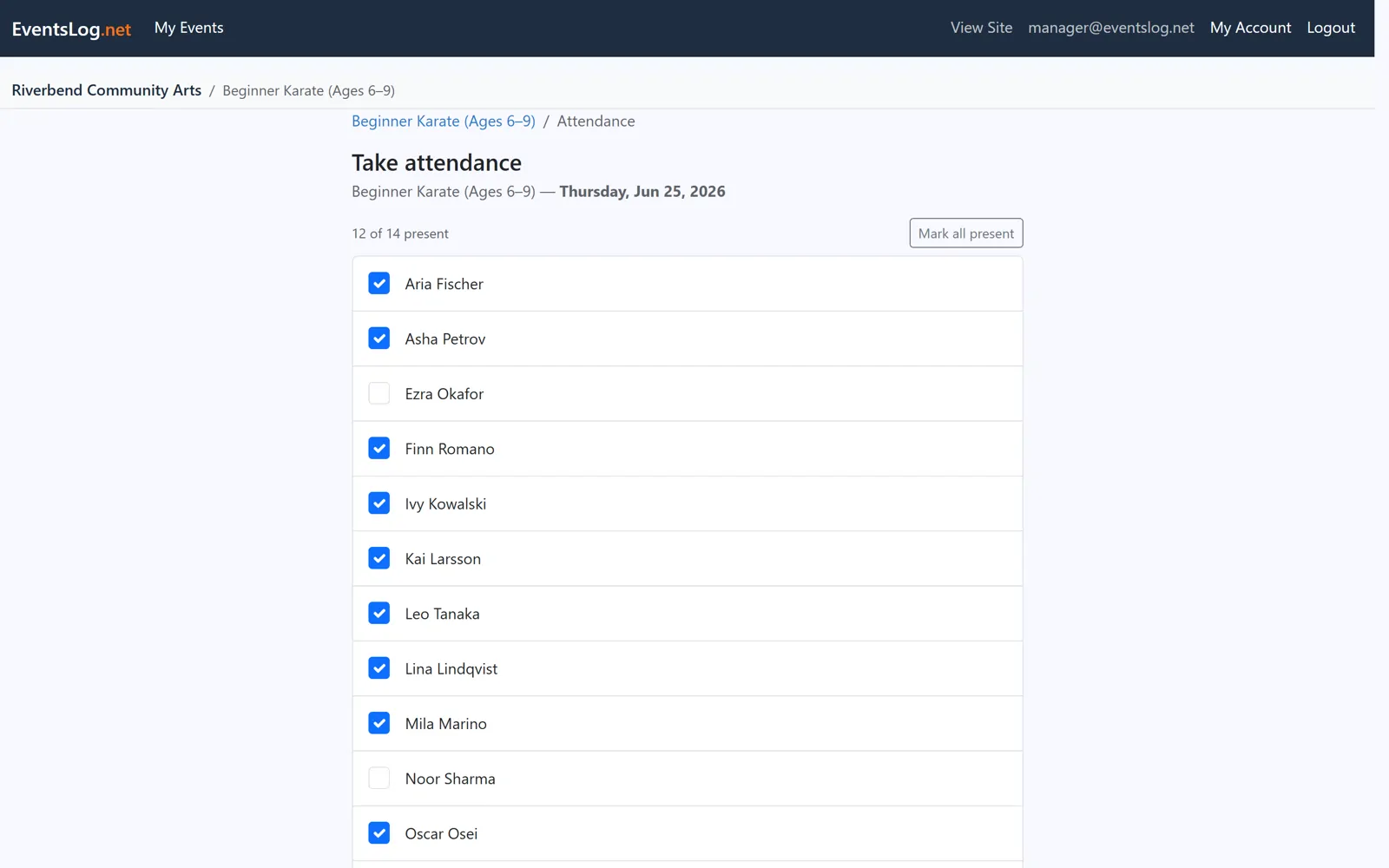
This is where a class is different from a one-time event: it meets again and again. Each meeting, the same roster is right there waiting — open the class, mark who came, and you're done. No new list to build every week, no recreating who's in the class. It's the same people, the same simple routine, meeting after meeting.
And every time you mark a meeting, the picture fills in. You can see who made it this week and who's been there all along — so a quick word with the family of someone who's missed a few is easy, and nothing slips through the cracks. The longer your class runs, the more that steady rhythm pays off.
-
Step 4 of 5
Keep everyone in the loop
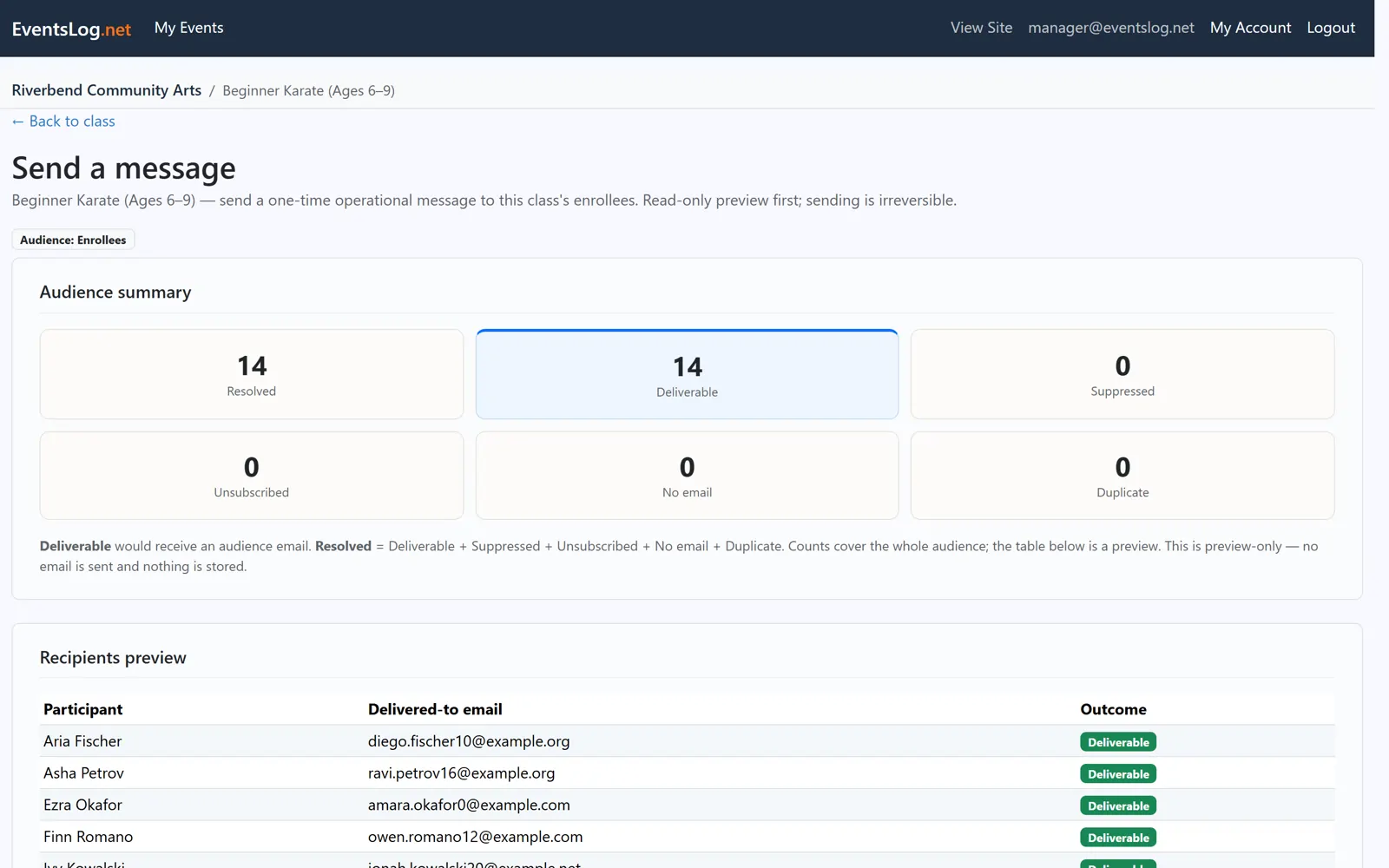
Over a term, things come up — a snow day, a room change, a holiday week, a reminder that the next meeting starts early. EventsLog lets you send a clear note to the people in the class: a heads-up before a meeting, a follow-up after, or a quick closure notice when plans change.
You're always reaching the people already enrolled — the same roster, not a list you have to rebuild. No chasing down phone numbers, no wondering who you missed. Just the families and participants in your class, kept in the loop all term long.
-
Step 5 of 5
See how it's going
Because a class runs week after week, it builds up a picture no single meeting could show. Look back over the term and you can see how attendance has held up, who's been coming regularly, and how enrollment has grown — the steady record of a class that's been meeting all along.
That record is what makes the next stretch easier. You head into each meeting already knowing who to expect, and into each new term already knowing how the last one went — who came regularly, what filled up, and where there's room to grow. A class doesn't really finish; it just rolls into what's next.
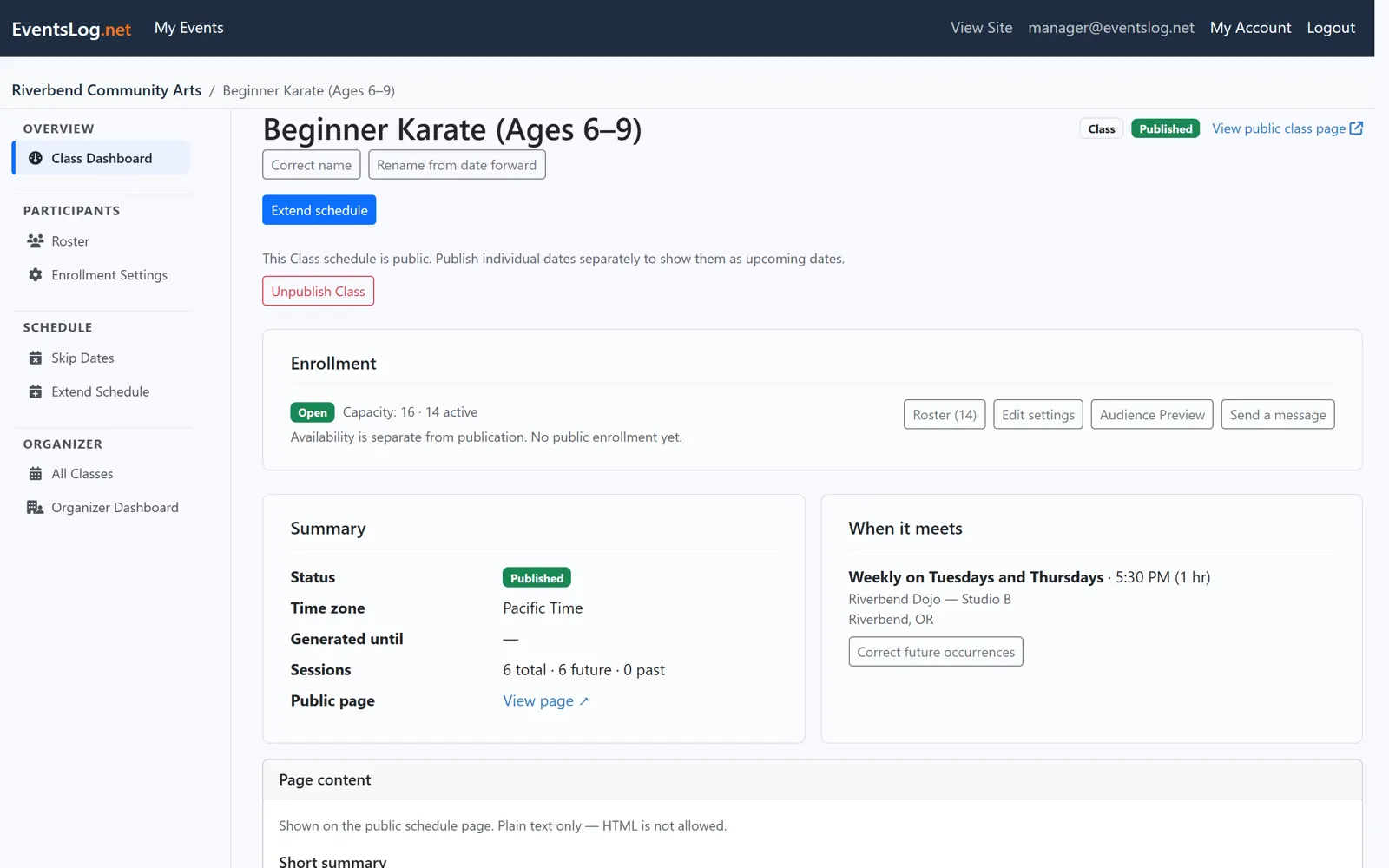
Everything stays connected
What makes a class easy to run is that it all builds in one place. Each week adds to the same class — the same page, the same people, the same record — so the longer it runs, the more it holds, with nothing scattered across notebooks and group chats.
- One class page
- One roster
- One attendance history
- One communication history
- One long-term view of participation
One class, all in one place — ready to pick up right where it left off, term after term.
Ready to run your classes on EventsLog?
We review requests and help your organization get set up. Free during early access.
EventsLog also runs your events
Festivals, fundraisers, showcases, and one-off gatherings are set up in the same place, alongside the classes you already teach — one public page, registrations and tickets, and check-in at the door.
Classes and events — it's one platform: same account, same people, same payments, whatever you run.