Check people in without the clipboard
The list you already have is the check-in list. Search a name, scan the code someone brings with them, add the person who just turned up — and see how many are actually in the room.
Front Desk, QR scanning, and walk-ins are live today for every organization on EventsLog.
Made for whoever is on the door
Event day usually lands on volunteers and staff who did not build the registration list and will not touch it again tomorrow. This is the screen they can be handed five minutes before doors open.
- A volunteer on the welcome table
- Two people working a busy queue
- A festival with a different gate each day
- A dinner where seats were promised
- A community gathering that mostly walks in
- A coordinator who needs the count, now
How check-in works on EventsLog
Nothing here is a separate app to set up. It is the same event, the same people, and the same list — on the day it matters.
Your registration list is the check-in list
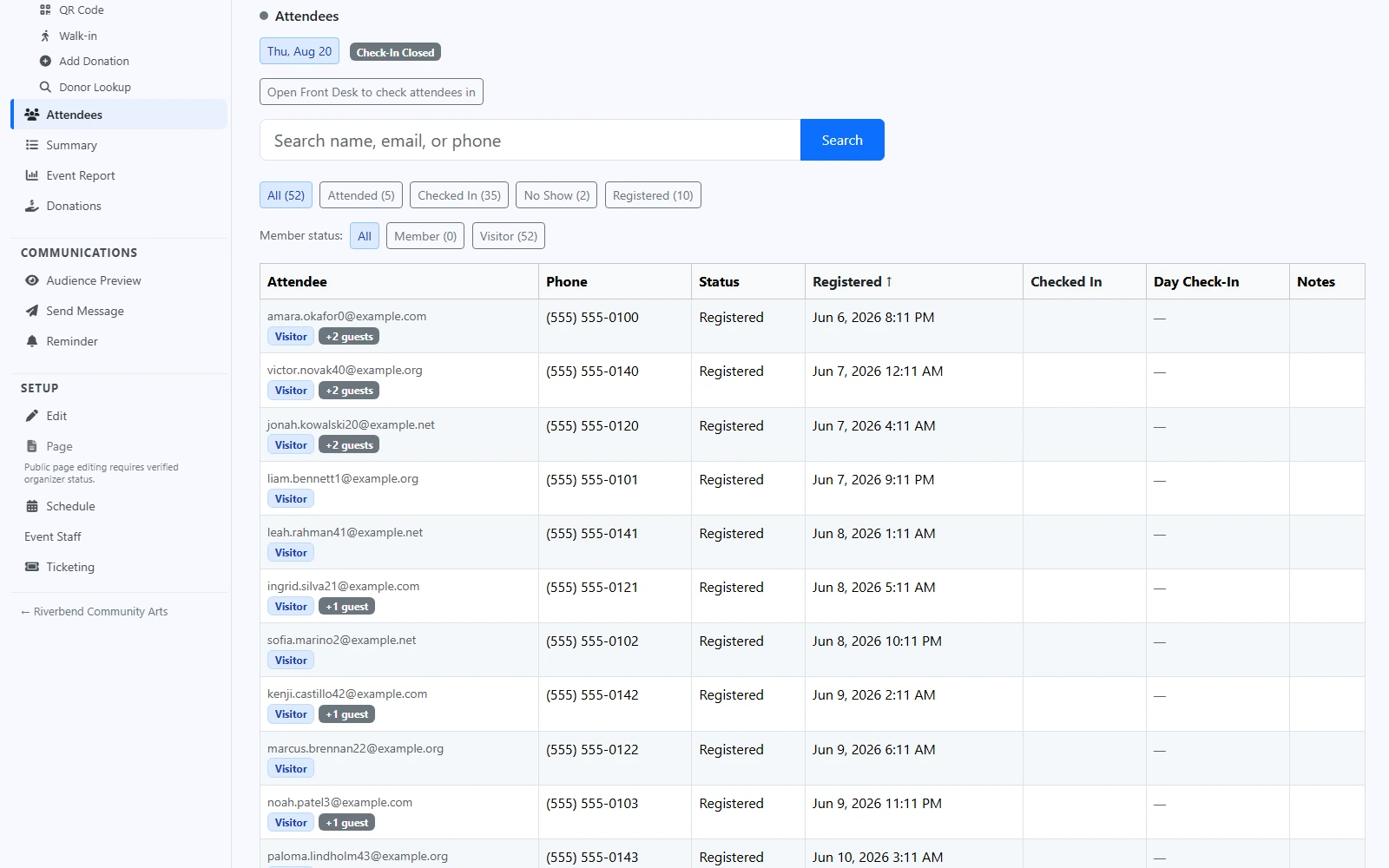
There is no export, no second spreadsheet, and no "import your attendees" step. The people who registered are already there, with the guests they said they were bringing, and each one carries their own state: registered, checked in, attended, no show.
You can search the list by name, email, or phone, or filter it down to just the people who have arrived — so "is she here yet?" takes one look instead of a scroll.
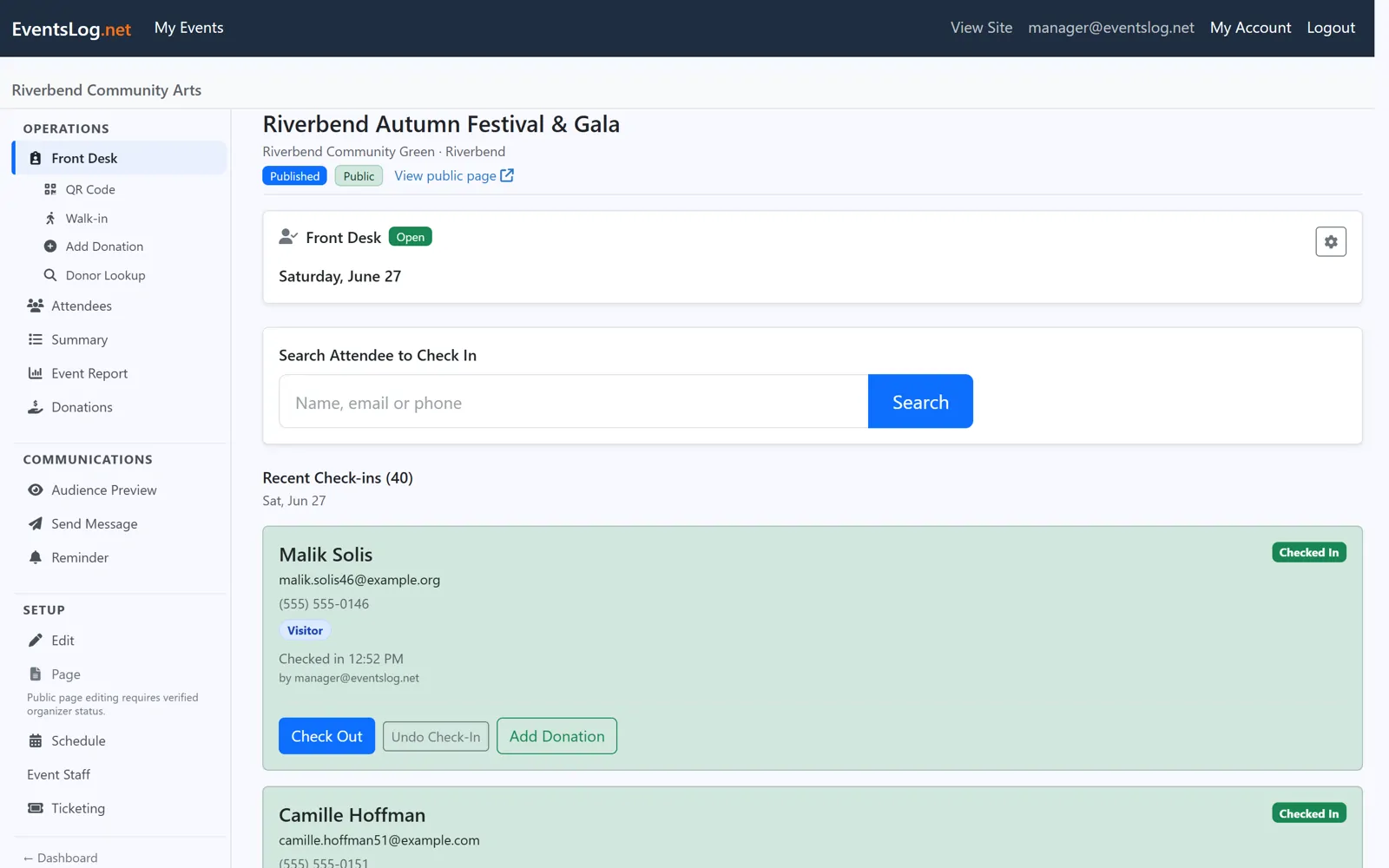
Front Desk is the one screen you work from
Search a name, check the person in, and they move to the top of the recent arrivals list. Someone turned up who never registered? Add them as a walk-in and they are on the list like everyone else. Checked in the wrong Sarah? Undo it and carry on.
The counts sit right underneath — who is on site, how many are still expected, and how many walk-ins you have taken today — so the coordinator asking for a headcount gets a number, not a guess. You decide when the desk opens and closes.
Most people arrive with a code already
When someone registers, their confirmation — on screen and in their email — carries a QR code. On the day, your staff point a phone or tablet camera at it and that person is checked in. No app for them to install, nothing for them to remember beyond the email they already have.
If a camera will not cooperate, or a phone battery has given up, the name search on Front Desk does exactly the same job. The queue keeps moving either way.
Selling tickets as well? Ticket holders are checked in for the same event, against their own ticket code — more about ticketing
Event day is one step of the whole event
The door is where everything you set up finally meets people. The public page, the registrations, the messages before the day, and the numbers afterwards are the rest of it.
Registrations and tickets — it's one platform: same account, same people, same payments, whatever you run.
Ready to run your next check-in on EventsLog?
We review requests and help your organization get set up. Free during early access.